Build your closet
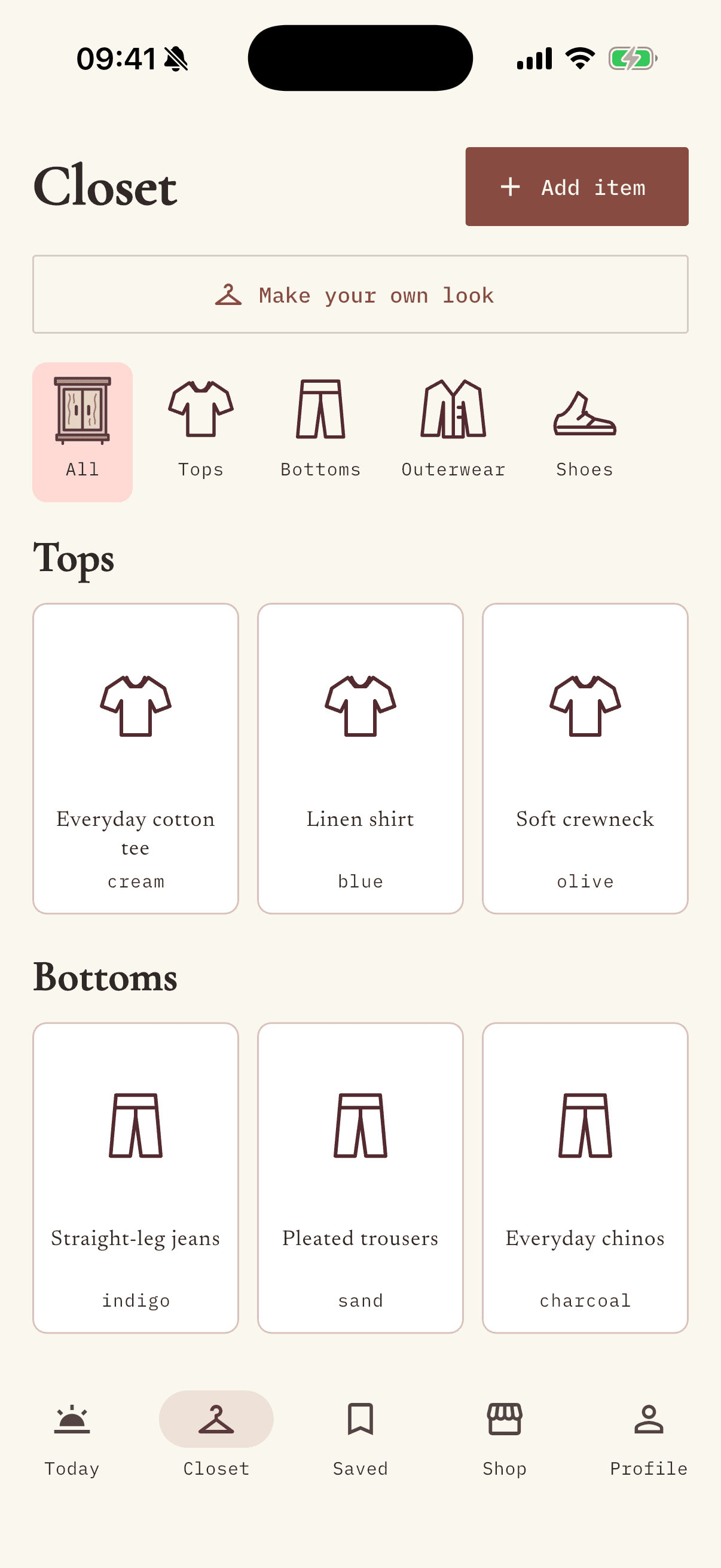
Add a photo of each piece. Wearto keeps its color, category, and styling tags together.
 WEARTO
Your wardrobe, seen clearly
Put your closet in one place. Open Wearto for an outfit suggestion shaped by your clothes, your day, and your weather.
Start with Google or email. Your wardrobe stays with your account.
Start with the pieces you already have. Keep the process small enough to use every morning.
Add a photo of each piece. Wearto keeps its color, category, and styling tags together.
Your saved location brings the weather into the outfit choice. GPS is optional; choose a city yourself.
See the pieces beside a dressed preview, save a look, or ask for another combination.
Your favorite pieces already have possibilities. Wearto helps you see them together, without telling you who to be.
Find a piece by category, keep its color and details, and see your closet without opening every drawer. Keep the original photo, or create a tidier product-only image.
Choose an occasion and style, or pick the closet pieces yourself. Weather-aware suggestions help you plan for the day outside, not just the mirror.
Save an outfit to come back to. With an optional personal photo, create a styling preview of your chosen pieces together.
Generated previews are styling ideas, not a guarantee of fit or an exact photograph.
Found a piece you love? Scan it in Shop and compare it with what you already own.
Think of it as a second opinion. The final choice is always yours.
Explore your wardrobe →Yes. Add a few pieces you wear often, then build your closet at your own pace. You do not need to photograph everything at once.
Choose Continue with Google on the sign-in screen. During testing, Google sign-in is available to invited test accounts. Google shares your basic profile and email for sign-in; Wearto does not ask to read your Gmail or Google Drive. Email sign-in remains available.
No. You can organize clothes and explore outfit combinations without one. A personal photo is optional and used for your styling previews when you choose to provide it.
Some image and styling actions use tokens. The app shows the token cost before you start, and you can review your balance in Profile.
Wearto is being prepared for iPhone testers. An installation link will appear below when a testing build is available. You can use the web atelier now.
iPhone and Android installation links will appear here when testing builds are available. Until then, you can open the web atelier.